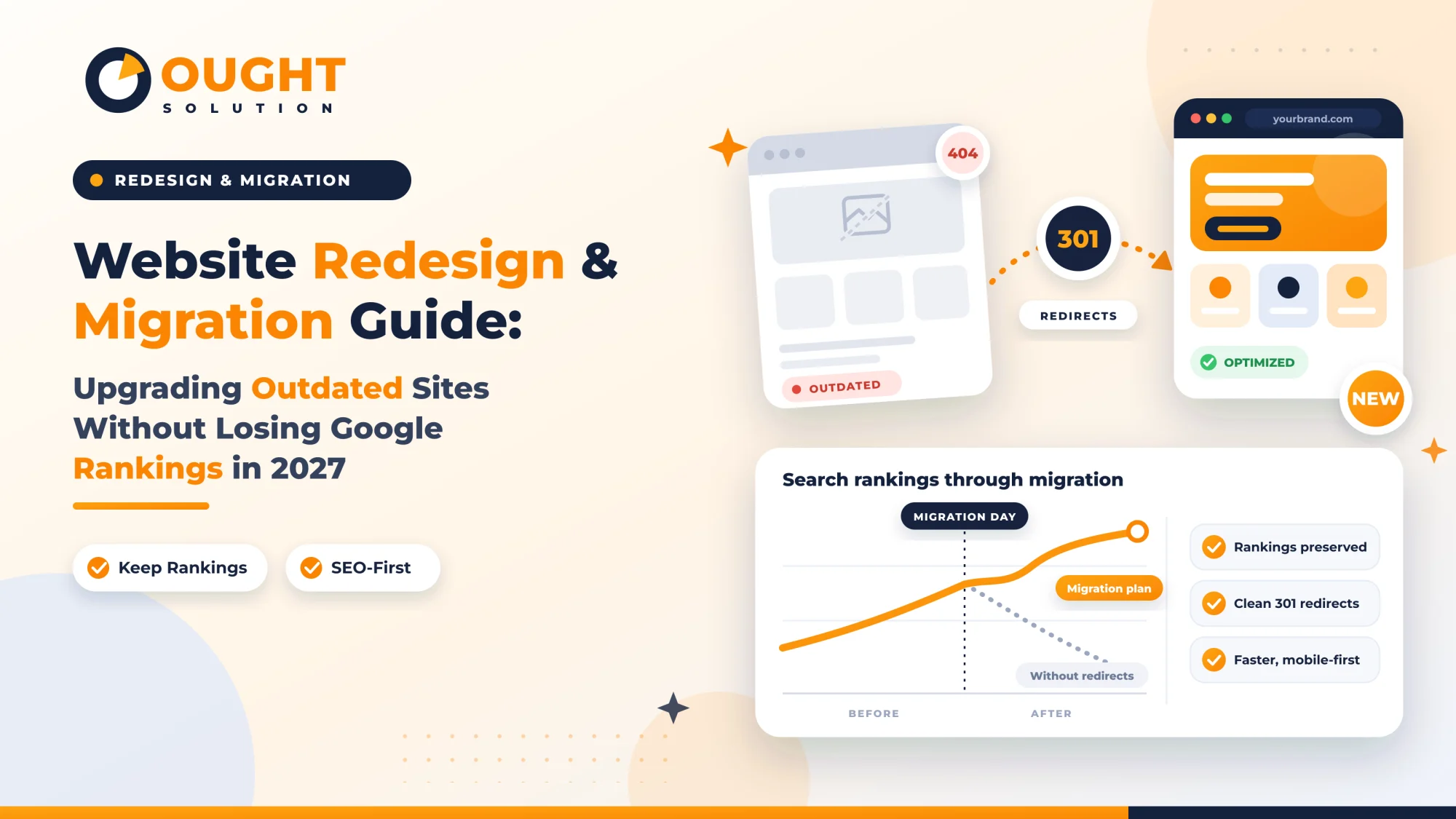
Upgrading an outdated website is one of the highest-leverage investments a growing business can make, yet it is also one of the riskiest. Every year, established companies launch sleek, modern websites only to watch their organic search traffic plummet within weeks. The culprit is rarely the visual design—it is the missing technical bridge between the old architecture and the new one.
As search engines in 2027 place heavier weight on user experience signals, semantic entity structure, and server response speeds, clinging to a slow, legacy website hurts your bottom line. However, rushing a rebuild without professional website redesign and migration services can erase years of domain authority. Here is the exact technical framework to modernize your digital presence while keeping—and growing—your Google rankings.
Why Outdated Websites Lose Rankings (and Why Rebuilds Fail)
Legacy websites often suffer from bloated code, non-responsive mobile layouts, outdated PHP or CMS versions, and poor Interaction to Next Paint (INP) scores. While those issues slowly erode visibility, a poorly executed migration causes an immediate crash due to four common mistakes:
Unmapped URL Changes: Changing
/services/it-consulting.phpto/solutions/consultingwithout a permanent redirect turns high-authority pages into404 Not Founderrors.Accidental De-indexing: Developers frequently leave
noindextags or restrictiverobots.txtrules from the staging server active when pushing the new site live.Content Stripping: Design teams sometimes trim detailed service copy to achieve a minimalist aesthetic, inadvertently deleting the primary keywords and semantic context Google uses to rank the page.
Broken Internal Link Equity: Altering navigation menus and footer links without auditing internal anchor text strands your most profitable landing pages.
Phase 1: Pre-Migration Benchmarking & URL Inventory
Before writing a single line of code or sketching a wireframe, you must capture a complete snapshot of how search engines currently view your website.
Crawl Every Existing URL: Run a full site crawl to export every active URL, status code, canonical tag, meta title, H1 heading, and word count.
Identify Your Traffic & Backlink Champions: Cross-reference Google Search Console and Google Analytics data from the past 12 months with your backlink profile. Flag the top 20% of pages driving 80% of your organic traffic and external backlinks—these pages require strict preservation.
Audit Structured Data (JSON-LD): Document all existing schema markup (
Organization,Service,FAQPage,Product,BreadcrumbList) so rich snippets are not lost during the template switch.
Phase 2: Building the 301 Redirect Matrix
A 1-to-1 redirect map is the single most critical safeguard in any website redesign and migration services workflow.
| Legacy URL Status | Required Action | SEO Impact |
| Exact Content Match | Map 301 Permanent Redirect directly from old URL to new equivalent URL | Transfers 90–99% of link equity and preserves keyword relevance |
| Consolidated Pages | Map deprecated sub-pages to the most contextually relevant parent category | Prevents soft-404 penalties and consolidates topical authority |
| Media & PDF Assets | Redirect high-traffic downloadable brochures, spec sheets, and images | Preserves backlinks pointing to non-HTML resources |
| Obsolete / Spam URLs | Serve a clean 410 Gone or 404 Not Found (do not mass-redirect to the homepage) | Avoids Google treating mass homepage redirects as soft 404s |
Rule of Thumb: Eliminate redirect chains. If Page A redirected to Page B on your old site, update the rule so Page A points directly to Page C on the new build.
Phase 3: Staging Environment & On-Page Parity
During development, your staging environment must remain completely invisible to search engine crawlers while mirroring production conditions.
Lock Down Staging: Protect the staging domain with HTTP basic authentication or IP whitelisting rather than relying solely on
robots.txt, ensuring Google never indexes duplicate development pages.Maintain Content & Heading Hierarchy: Preserve primary H1 topics, core service descriptions, and high-performing FAQ sections. You can improve readability and layout without removing the semantic depth that earned your rankings.
Optimize Core Web Vitals 2027: Compress images into next-gen AVIF or WebP formats, defer non-critical JavaScript, implement server-side caching, and aim for a Largest Contentful Paint (LCP) under 2.0 seconds and an INP under 200 milliseconds.
Upgrade Internal Linking: Update every internal hyperlink to point directly to the final destination URLs rather than relying on your new 301 redirects to resolve internal navigation.
Phase 4: Launch Day Execution Protocol
Schedule your cutover during your lowest traffic window—typically late evening or early weekend hours—and execute this sequence:
Lower DNS TTL: 24 hours before launch, reduce your DNS Time-To-Live (TTL) to 300 seconds so domain propagation happens within minutes.
Verify SSL & Canonical Tags: Confirm that HTTPS certificates are active across all subdomains and that self-referencing canonical tags point to the live domain, never the staging URL.
Remove Staging Blocks: Strip all
noindexmeta tags and staging password protections immediately upon DNS cutover.Deploy Server-Level 301s: Activate your redirect matrix at the server level (
.htaccess, Nginx config, or edge worker) for instant execution before PHP or CMS routing loads.Submit Fresh XML Sitemaps: Generate a clean XML sitemap containing only
200 OKindexable URLs and submit it directly inside Google Search Console.
Phase 5: Post-Migration Monitoring (Days 1 to 30)
Your job is not finished when the new site goes live. Active monitoring during the first 30 days catches indexing anomalies before they impact revenue.
Watch Server Logs & Crawl Stats: Check Google Search Console's Crawl Stats report daily to verify Googlebot is crawling new URLs cleanly without spikes in
5xxserver errors or404responses.Run a Post-Launch Crawl: Crawl the live domain within 2 hours of launch to catch broken internal links, missing alt attributes, or accidental staging links.
Track Keyword Volatility: Monitor rank tracking daily for your primary commercial keywords. Minor fluctuations during the first 7–14 days are normal as Google reprocesses your upgraded architecture, followed by steady ranking gains as faster load times and cleaner UX signals take effect.
Ready to Upgrade Your Website Without Risking Your Rankings?
Modernizing an outdated website should accelerate your pipeline, not reset your search visibility. At Ought Solution, our website redesign and migration services combine high-converting UI/UX engineering, clean full-stack development, and rigorous technical SEO preservation—ensuring every backlink, keyword ranking, and lead funnel transitions seamlessly to your new platform.
Planning a website overhaul for 2027? Contact Ought Solution today for a pre-migration technical SEO audit and custom redesign roadmap.
Ought Solution Admin is the technical editorial and solutions architecture desk at Ought Solution, a global B2B IT consulting, custom ERP software, and biometric hardware integration firm. Drawing from hands-on deployments across Manufacturing Units / Plants, healthcare diagnostics, educational campuses, and corporate…