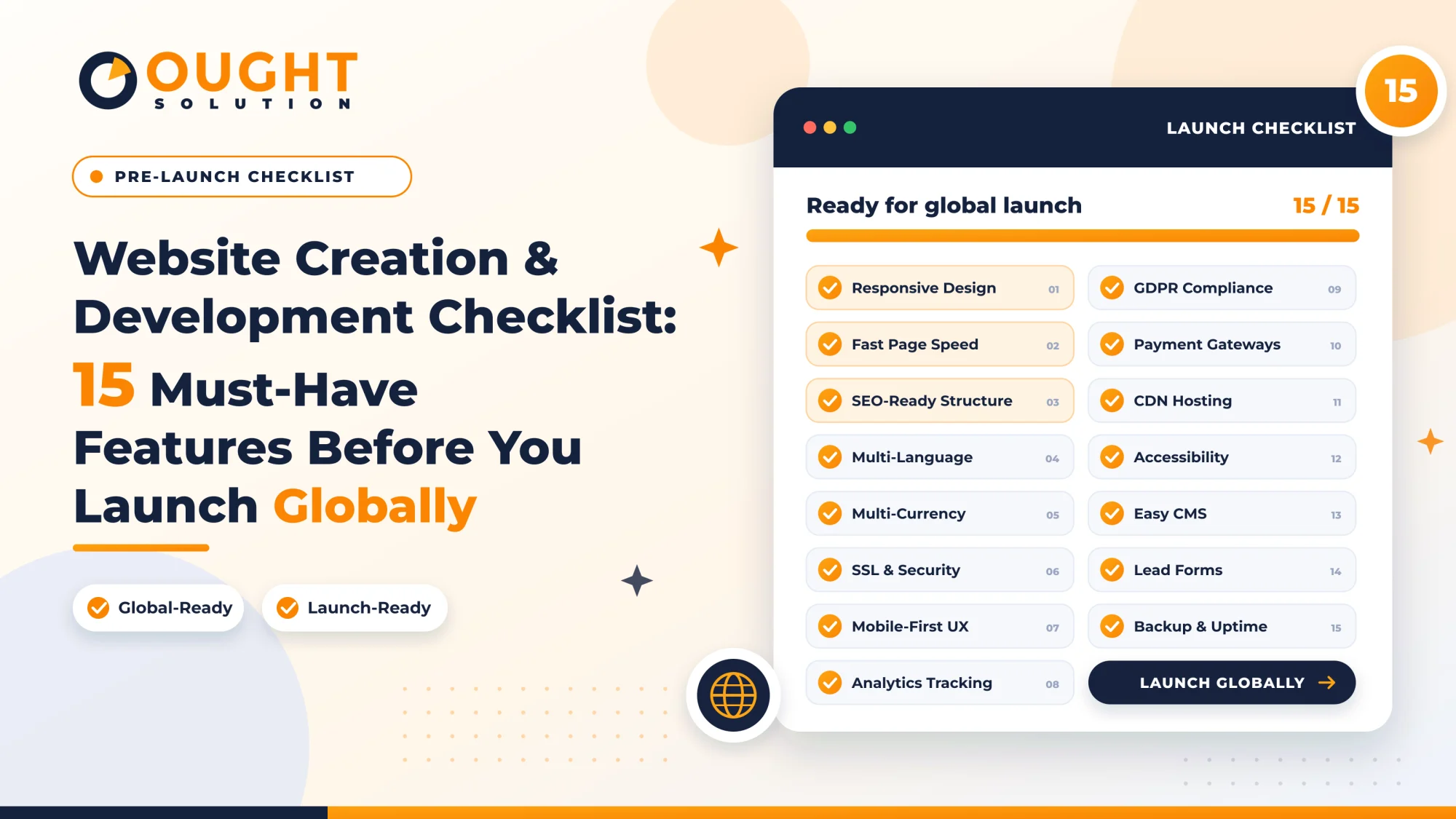
Launching a website without a structured verification process is like opening a flagship store before installing the locks, signage, or checkout counters. When your goal is to reach customers across borders, small oversights—like unoptimized mobile layouts, missing currency formatting, or broken metadata—can quietly tank your search rankings and user trust from day one.
Whether you are building a custom corporate portal, a SaaS platform, or an e-commerce storefront, this website creation and development checklist covers the 15 non-negotiable technical, UX, and international SEO features you must verify before going live.
Phase 1: Architecture, UX & Global Readiness
1. Mobile-First Responsive UX
More than half of global web traffic originates from mobile devices, and Google strictly uses mobile-first indexing to rank pages. Your layout must adapt fluidly across smartphones, tablets, laptops, and ultra-wide monitors without horizontal scrolling, overlapping text, or microscopic tap targets. Test interactive elements like navigation drawers, modals, and forms on real devices rather than relying solely on browser simulators.
2. Clear Information Architecture & Intuitive Navigation
International visitors often land on deep internal pages rather than your homepage. Organize your site hierarchy so any critical page is reachable within three clicks. Include descriptive menu labels, logical breadcrumbs, and a persistent footer containing quick links to core services, legal policies, and contact channels.
3. Multi-Language and Localization Readiness (Hreflang & UTF-8)
If you plan to serve multiple regions, hardcoding text into templates will create massive technical debt later. Ensure your database and HTML templates use UTF-8 character encoding to support global scripts and special characters cleanly. If you launch localized versions, implement hreflang tags in your <head> or XML sitemap so search engines serve the right regional language to the right audience.
4. Multi-Currency and Regional Formatting Support
For businesses selling products, subscriptions, or consulting globally, pricing clarity drives conversions. Build currency switching or localized pricing display logic early, alongside region-aware date (DD/MM/YYYY vs. MM/DD/YYYY), time zone, and address validation formats in your checkout and inquiry forms.
Phase 2: Security, Compliance & Reliability
5. Valid SSL/TLS Encryption & HTTPS Enforcement
An active SSL certificate (HTTPS) is a baseline ranking signal and a non-negotiable trust indicator. Configure server-level 301 redirects so every HTTP request automatically resolves to HTTPS, and scan your pages to eliminate "mixed content" warnings caused by insecure image or script URLs.
6. Hardened Application & Server Security
Beyond SSL, protect your web application against common attack vectors. Enforce strong password hashing, sanitize all user inputs to prevent SQL injection and Cross-Site Scripting (XSS), enable CSRF tokens on forms, and configure security headers (Content-Security-Policy, X-Frame-Options, and Strict-Transport-Security).
7. Global Privacy & Cookie Compliance (GDPR, CCPA & DPDP)
Operating globally means respecting regional data protection laws, including Europe's GDPR, California's CCPA, and India's Digital Personal Data Protection (DPDP) Act. Publish clear Privacy Policy and Terms of Service pages, implement a non-intrusive cookie consent banner that blocks non-essential tracking scripts until consent is given, and disclose how form data is stored.
8. Automated Off-Site Backups & Uptime Monitoring
Things can go wrong immediately after launch due to traffic spikes or unexpected plugin conflicts. Configure automated daily backups of both your codebase and database to an off-site cloud location, and verify that you can actually restore from a backup. Pair this with 24/7 uptime monitoring alerts so your engineering team knows about downtime before your customers do.
Phase 3: Speed & Technical SEO Foundations
9. Core Web Vitals & Asset Optimization
Page speed directly impacts bounce rates and search visibility. Optimize your Largest Contentful Paint (LCP), Interaction to Next Paint (INP), and Cumulative Layout Shift (CLS) by serving next-gen WebP/AVIF images with explicit width and height attributes, minifying CSS/JavaScript bundles, enabling server-side caching, and distributing static assets through a global Content Delivery Network (CDN).
10. Clean Semantic URLs & Canonical Tags
Avoid cryptic database query strings like /page.php?id=849 in favor of clean, keyword-relevant slugs like /services/custom-erp-development. Add self-referencing <link rel="canonical"> tags to every indexable page so search engines do not penalize you for duplicate content caused by UTM tracking parameters or pagination.
11. Direct JSON-LD Schema Markup Integration
Structured data helps search engines understand who you are, what you offer, and how your content is organized—unlocking rich snippets in Google Search. Embed valid JSON-LD Schema Markup (Organization, WebSite, Service, BreadcrumbList, and FAQPage) directly into your page HTML rather than relying solely on client-side tag managers, ensuring crawlers parse your entity data immediately.
12. Configured robots.txt, XML Sitemap & Custom 404 Page
Before removing staging restrictions, audit your robots.txt file to ensure search bots can crawl all public assets while blocking admin panels and private directories. Generate a dynamic sitemap.xml file, submit it to Google Search Console and Bing Webmaster Tools, and design a helpful custom 404 error page that guides lost visitors back to active sections of your site.
Phase 4: Conversions, Analytics & Pre-Launch QA
13. High-Converting Lead Capture & Transactional Email Deliverability
Every informational or service page should guide visitors toward a clear next step—whether booking a consultation, requesting a quote, or starting a trial. Test every contact form end-to-end, and configure SPF, DKIM, and DMARC DNS records for your domain so automated inquiry confirmations and password-reset emails land in the primary inbox rather than the spam folder.
14. Privacy-First Analytics & Conversion Goal Tracking
Launching without analytics means flying blind. Integrate Google Analytics 4 (GA4) alongside Google Search Console before launch day. Set up custom event tracking for button clicks, form submissions, file downloads, and outbound links so you can measure which international markets and landing pages generate real business outcomes.
15. Cross-Browser Testing & Broken Link Audit
A layout that looks crisp in Chrome can break in Safari, Firefox, or Edge due to subtle CSS rendering differences. Run a full pre-launch crawl to catch any 404 broken links, missing alt attributes, placeholder "Lorem Ipsum" text, or console JavaScript errors across major desktop and mobile browsers.
Pre-Launch Quick Verification Table
| Launch Pillar | Core Deliverable | Primary Business Impact |
| User Experience | Responsive layout, intuitive menus, custom 404 | Lower bounce rates across mobile & desktop |
| Global Readiness | UTF-8, hreflang, multi-currency formatting | Seamless expansion into international markets |
| Security & Trust | HTTPS/SSL, security headers, privacy compliance | Higher visitor confidence & regulatory safety |
| Technical SEO | Core Web Vitals, canonicals, JSON-LD Schema | Faster indexing & rich search engine visibility |
| Growth & QA | GA4 events, SPF/DKIM/DMARC, cross-browser checks | Measurable leads & reliable email delivery |
Build a High-Ranking, Globally Ready Website with Ought Solution
A website should be more than an online brochure—it should be a fast, secure, search-engineered growth engine for your business. At Ought Solution, we design and develop custom websites, scalable web applications, and industry automation platforms engineered from the ground up with clean code, technical SEO, responsive UX, and enterprise-grade security.
Planning a new website or upgrading an existing platform? Contact Ought Solution today to discuss your project requirements and launch with confidence.

Ought Solution Admin is the technical editorial and solutions architecture desk at Ought Solution, a global B2B IT consulting, custom ERP software, and biometric hardware integration firm. Drawing from hands-on deployments across Manufacturing Units / Plants, healthcare diagnostics, educational campuses, and corporate…